Rightsizing
Rightsizing recommendations compare recent utilisation with the current SKU. Accept records intent. Someone still resizes the instance in AWS, Azure or Google Cloud.
CloudHealth rightsizing can be scoped to a Perspective Group and, depending on policy, paired with automation. FinomateAI rightsizing is advice on the recommendations queue. There is no apply-in-cloud button.
Use the provider chip, then open Details on a row.
Before you accept a downsize
- Confirm the 14-day CPU (or equivalent) is not hiding a weekly spike.
- Check the workload is not a batch job that is idle most hours and hot on a schedule.
- Confirm reserved instances or committed use discounts still fit the smaller SKU — see Commitments.
- Name an owner who will change the instance in the provider console or IaC.
AWS
Filter Recommendations to AWS and type Right sizing. Typical rows are EC2 families (m6i, r6i) with 14-day CPU below ~40%.
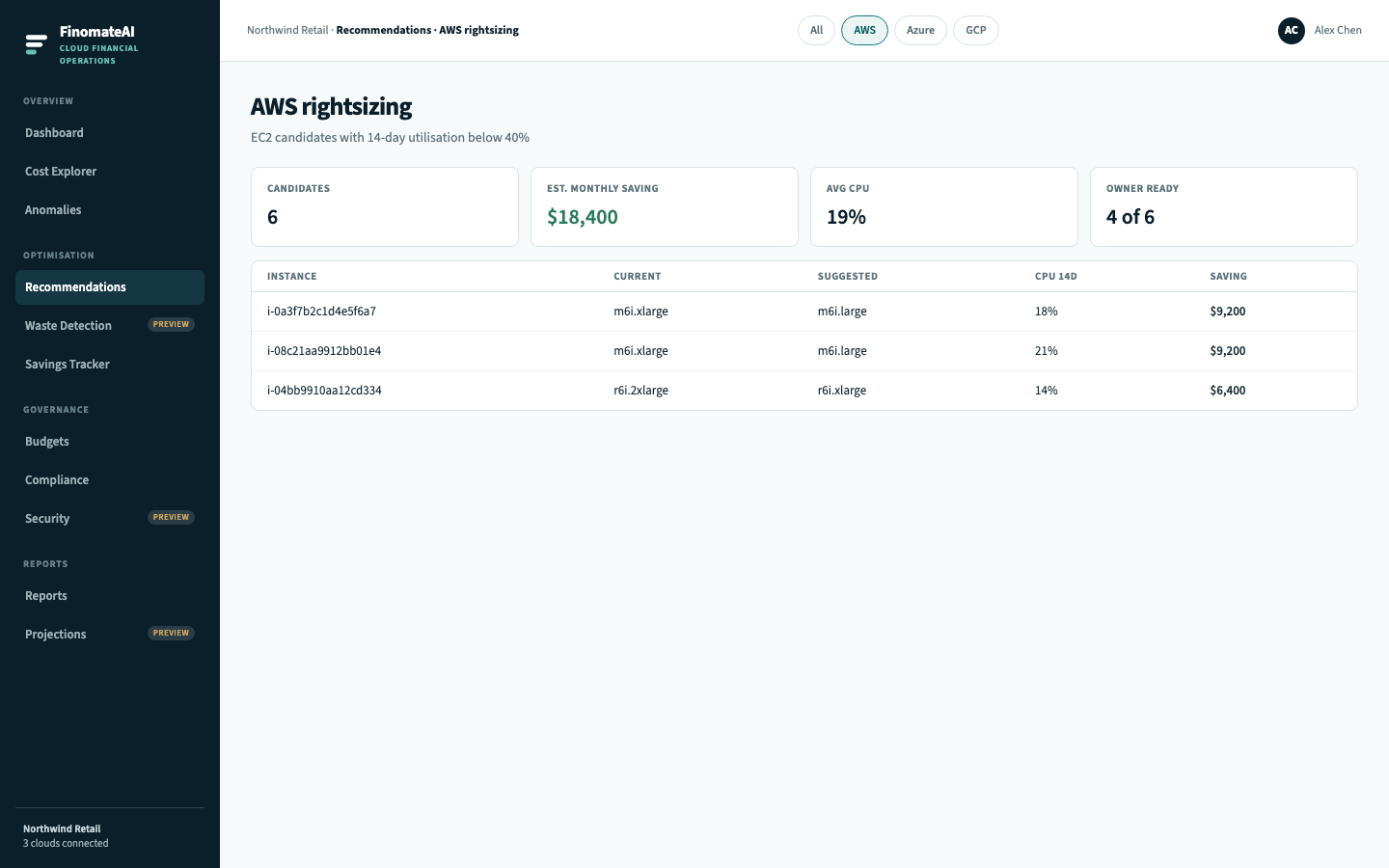
Then follow Review a recommendation. Implementation is in the EC2 console or your IaC — not in FinomateAI.
Azure
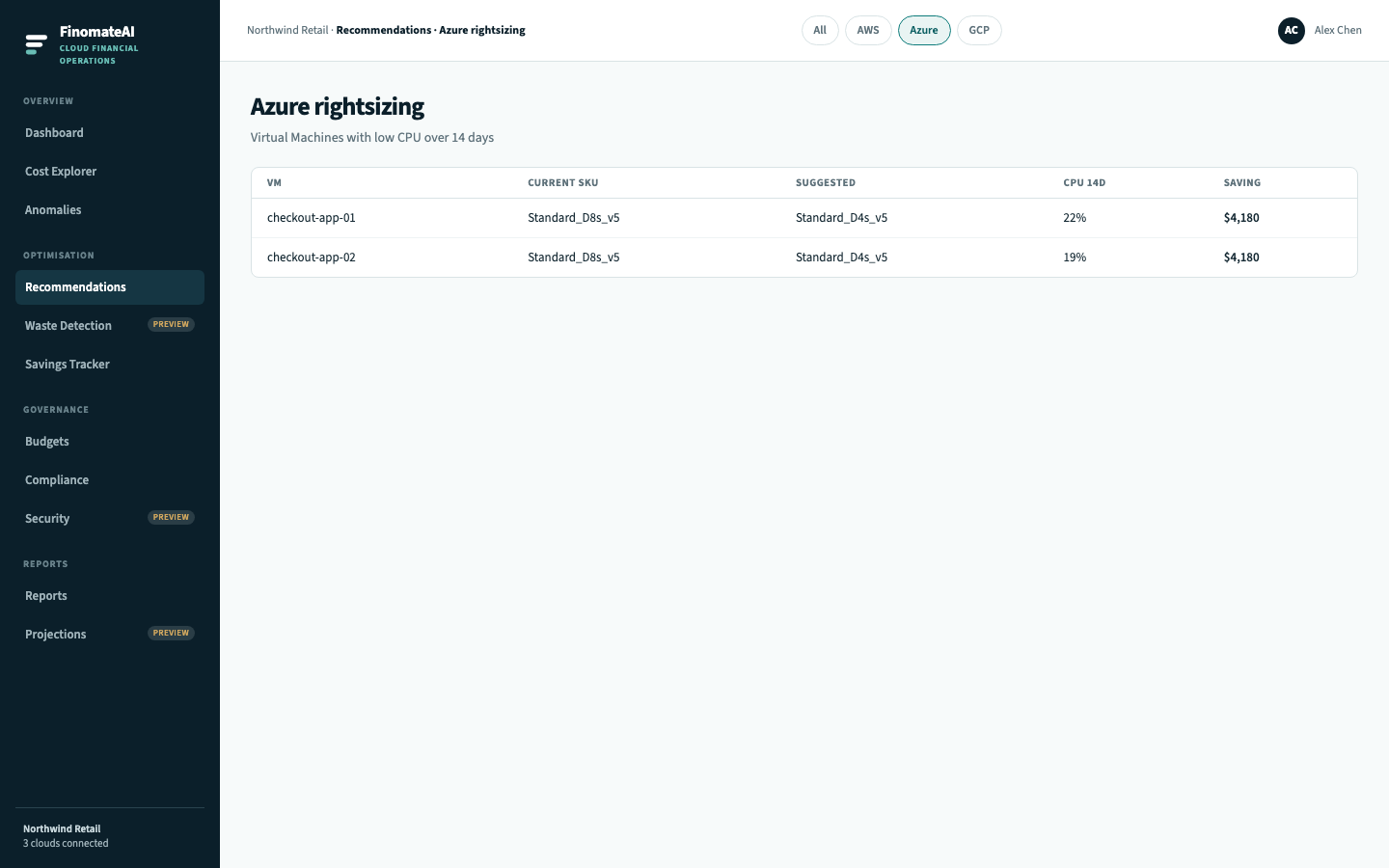
Filter to Azure. Rows are Virtual Machine SKUs (Standard_D* and similar).
Google Cloud
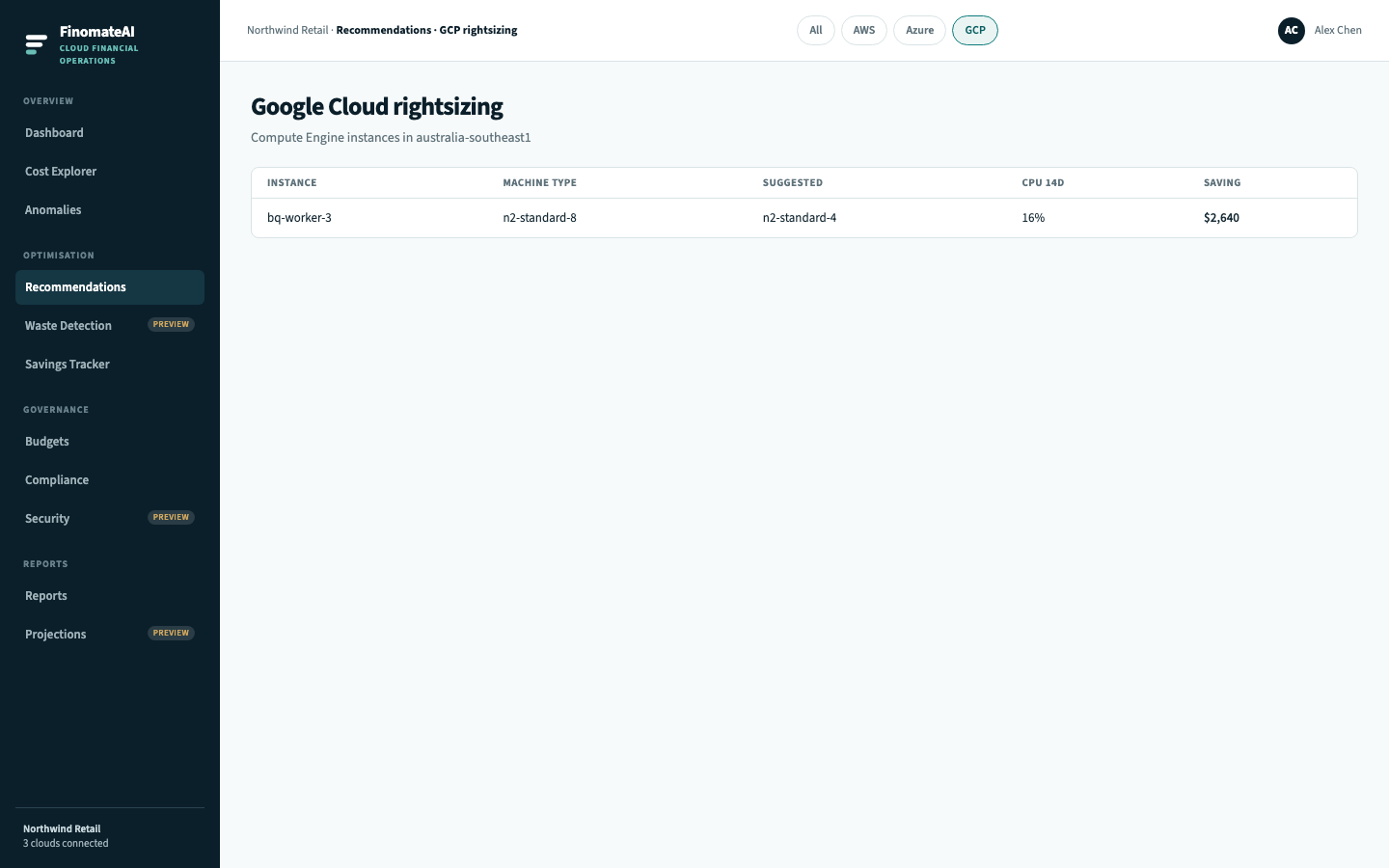
Filter to GCP. Rows are Compute Engine machine types.
What FinomateAI will not do
Connectors are read-only. There is no “apply in AWS” button. If a recommendation is Ready, the owner still performs the change and Savings Tracker waits for a later bill to confirm it.