Platform overview
FinomateAI brings cost visibility, optimisation and governance into one operating view across AWS, Azure and Google Cloud.
Sample organisation
Screenshots use the Northwind Retail sample estate (AWS, Azure and GCP for August 2026). Your totals, owners and resource identifiers will differ.
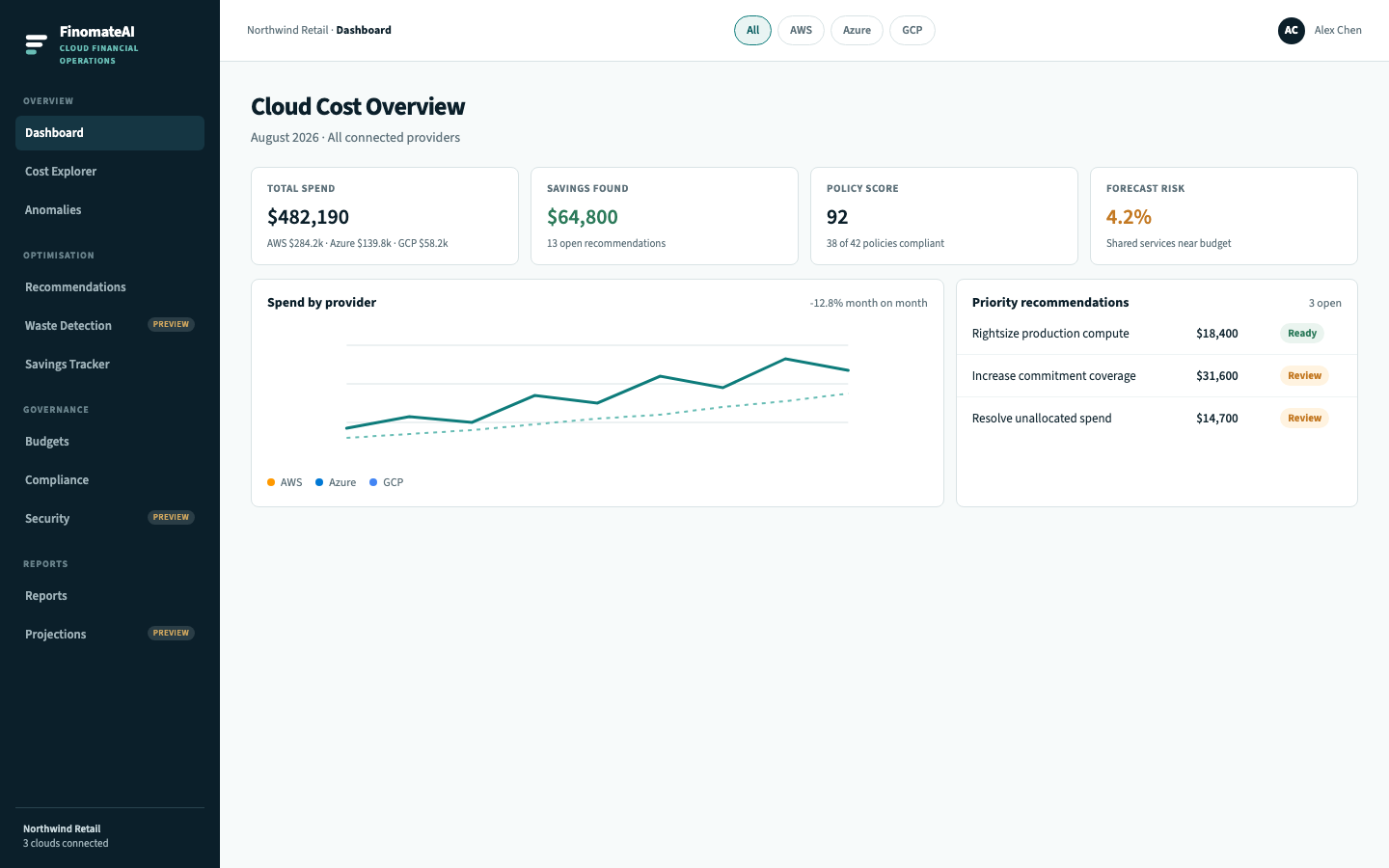
Global provider filter
The top bar filters every supporting page to All, AWS, Azure or GCP.
- Open any product page.
- Select a provider chip.
- Confirm that totals, charts and tables update before you compare a number with a provider bill.
Start with Azure for the default review. Switch to All when AWS or GCP is also connected, or to a single provider when you need to validate a connection.
Product areas
| Area | Use it to | Guide |
|---|---|---|
| Dashboard | Orient a review | Dashboard |
| Cost Explorer | Break spend down by time, service, region and account | Cost Explorer |
| Anomalies | Find spend that left the baseline | Anomalies |
| Recommendations | Evaluate estimated savings with an owner | Recommendations |
| Savings Tracker | Separate confirmed from pending savings | Savings Tracker |
| Budgets | Compare spend with an agreed amount | Budgets |
| Compliance | Review policy findings | Compliance |
| Reports | Prepare a pack for leadership | Reports library |
Data path
- Your cloud team prepares a billing export and a read-only identity.
- You complete onboarding with the payer account, role or service principal, and export location.
- FinomateAI imports billing data. The first useful view is usually available within 24 hours of a successful connection.
- Dashboard, Explorer, anomalies and recommendations all read the same cost model.
Numbers in the product come from provider billing data and a deterministic build. Agents and assistants, where previewed, do not write a figure.