Saved views
CloudHealth Perspectives are lenses (Environment, Team, Cost Center) with groups (production, checkout, finance). They drive reports, policies, recommendations and chargeback.
FinomateAI splits that into:
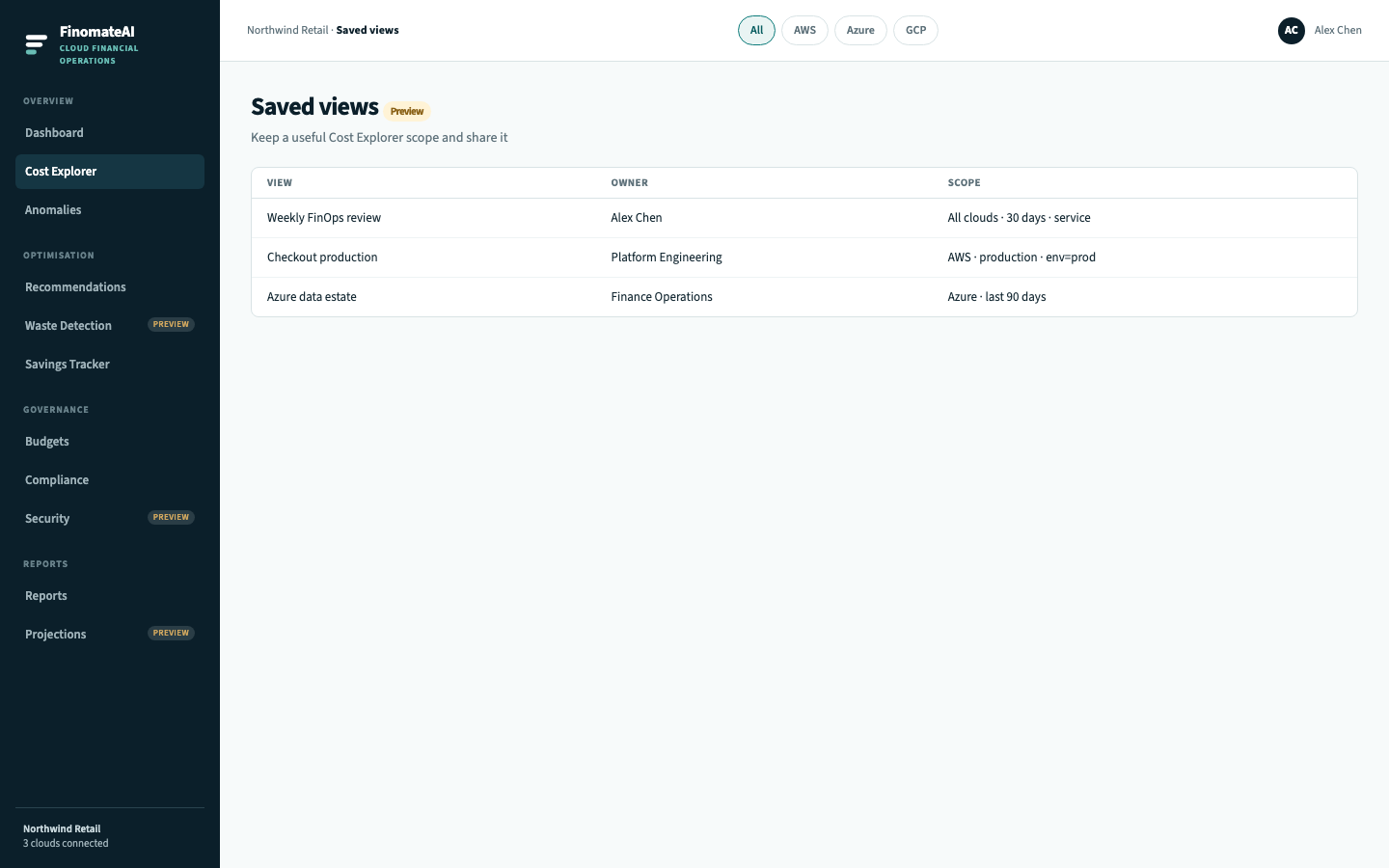
- Saved views (this page) — reopen the same Cost Explorer scope.
- Cost categories — allocate provider cost to products, teams and shared platforms.
Use both with Cost Explorer. A view without a category is a bookmark. A category without a view is a chargeback table nobody opens.
Why you would create views
The same CloudHealth reasons apply:
| Stakeholder | Lens they need |
|---|---|
| Finance | Cost centre or product line |
| FinOps | Environment (prod vs non-prod) |
| Engineering | Application or team |
| Leadership | Organisation-wide All-clouds view |
Without a named view, every weekly review rebuilds filters. With a view, the meeting opens on the agreed slice.
Types of view
| View | Typical filters | Owner |
|---|---|---|
| Weekly FinOps | All clouds, last 30 days, group by service | FinOps |
| Production only | Environment or account list that is prod | Platform |
| Checkout platform | Product tag or linked accounts | Product engineering |
| Data products | Dedicated account / subscription | Data platform |
CloudHealth distinguishes dynamic groups (tag values create groups automatically) from static groups (you add groups by hand). The intended FinomateAI category rules follow the same split — see Cost categories.
Workflow
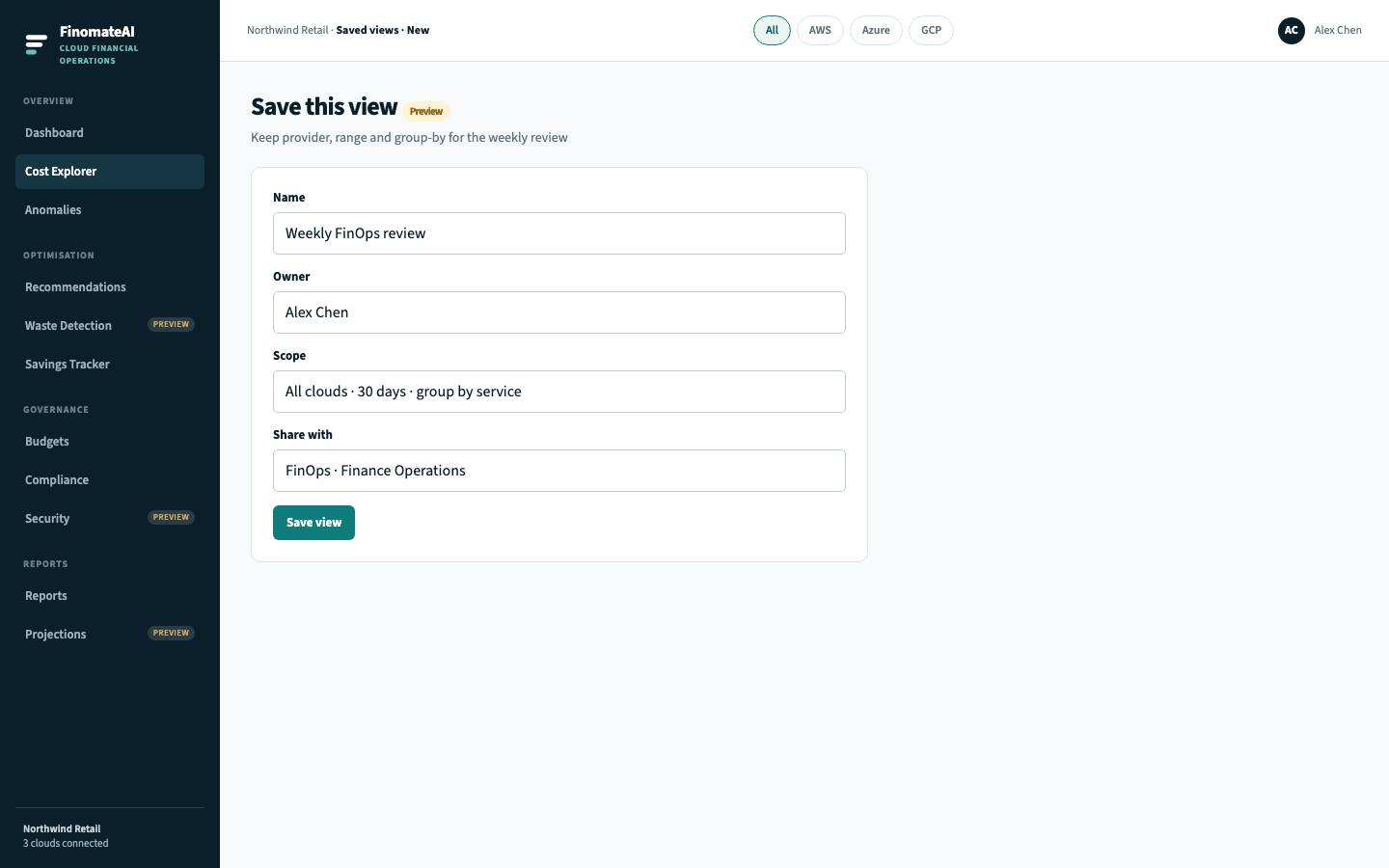
- Open Cost Explorer and set provider, range and group-by.
- Select Save view.
- Name it for the meeting or team.
- Assign an owner who will maintain it.
- Share it with FinOps and the owning engineering group.
- Open the view next week instead of rebuilding filters.
Fields
| Field | Purpose |
|---|---|
| Name | What the review is called |
| Owner | Who maintains it |
| Scope | Provider, range, group-by, tags |
| Share with | Teams who will open it, not “everyone” |
Best practices (same as CloudHealth Perspectives)
- Start with a small set of lenses: Environment, Product, Owner, Cost centre.
- Tags are case-sensitive.
Prod,prodandProductionare three groups unless you merge them. - Do not put an asset in two groups inside the same lens. An asset can belong to Environment=production and Product=checkout.
- Review unallocated until finance accepts the remainder. Hiding it is how chargeback goes wrong.
See Compared with CloudHealth for the full mapping.