Cost categories
Cost categories are how finance actually uses CloudHealth Perspectives: map raw provider cost onto products, teams and shared platforms. CloudHealth also calls this cost reallocation — a source group’s spend redistributed to destination groups.
Use categories together with Cost Explorer and saved views.
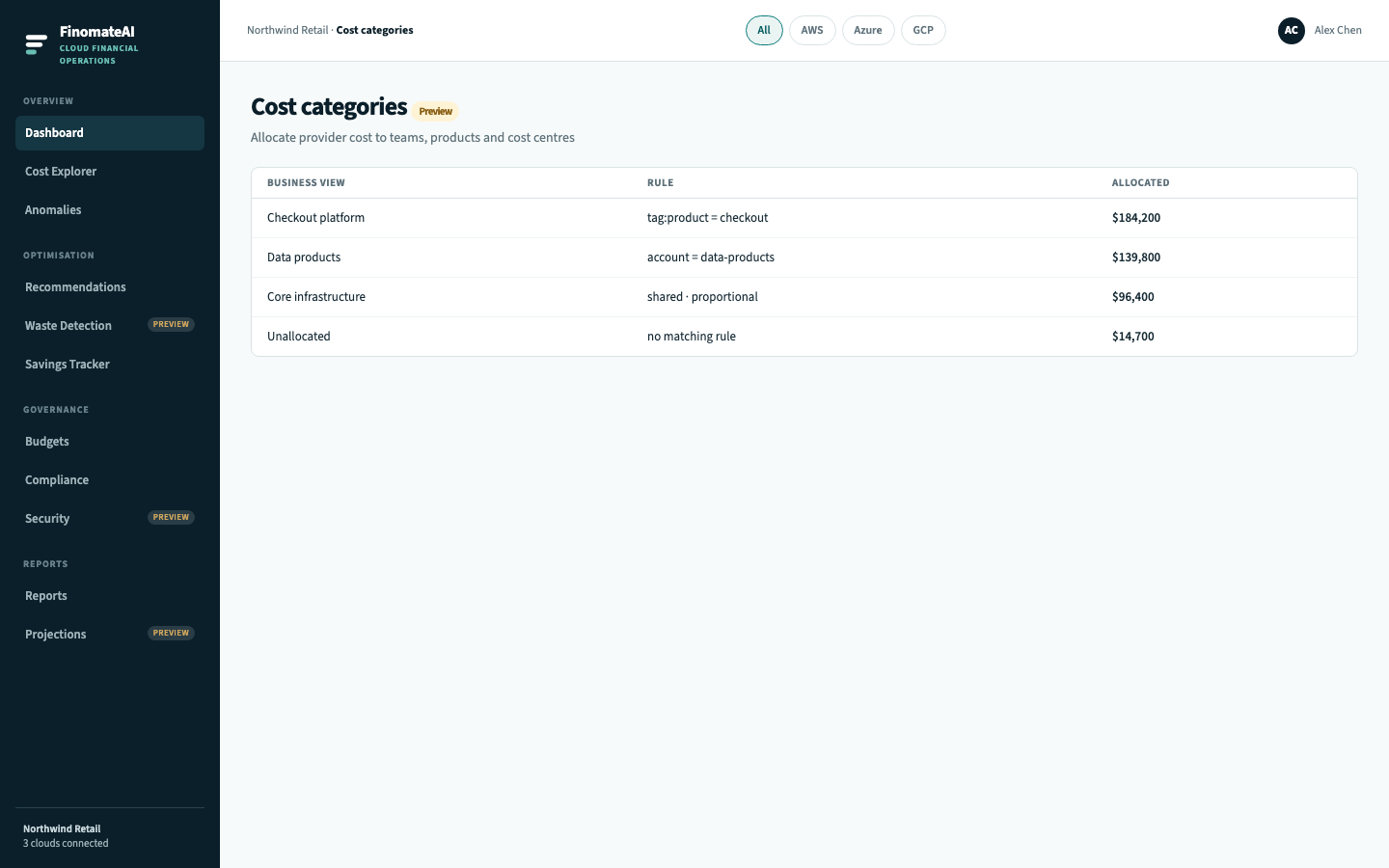
What a category is
A category is a business view (Checkout platform, Data products, Core infrastructure). A rule decides which billed usage belongs there.
| CloudHealth | FinomateAI (intended) |
|---|---|
| Perspective | The lens (Product, Team, Cost centre) |
| Perspective Group | A category inside that lens |
| Dynamic group | Tag-driven rule (product = checkout) |
| Static group | Account or subscription list you maintain |
| Placeholder group | Shared-split bucket for NAT, egress, logging |
| Assets not allocated | Unallocated |
An asset should sit in one category per lens. The same EC2 instance can be Product=checkout and Environment=production.
Workflow
- Create a business view (for example Checkout platform).
- Attach a rule: tag, account, subscription or shared split.
- Open Unallocated until finance accepts the remainder.
- Use the same views in reports and budgets so engineering and finance argue about one number.
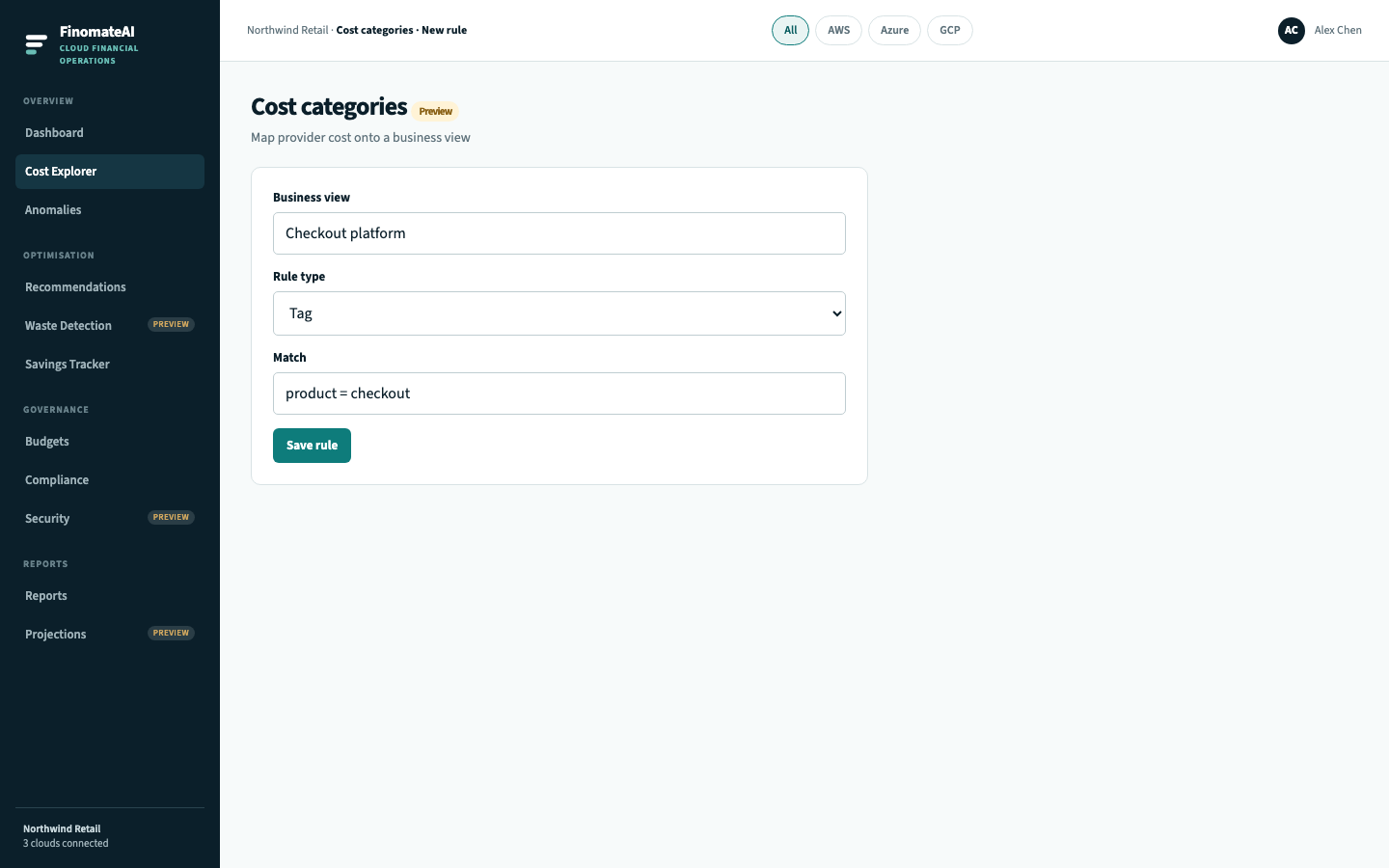
Rule types
| Rule | Example | When to use | CloudHealth analogue |
|---|---|---|---|
| Tag | product = checkout | The export already has a stable product tag | Dynamic group on a tag |
| Account | account = data-products | A whole linked account is one team | Categorize by account |
| Shared | Split core infrastructure proportionally | NAT, egress, logging that no product owns | Placeholder group + cost reallocation |
Tag before you allocate
CloudHealth spends a chapter on tagging because Perspectives fail without it. The same is true here.
Recommended keys (use these exact spellings):
| Key | Example values |
|---|---|
environment | production, staging, development |
product | checkout, search, data-platform |
owner | team or IAM-style owner |
cost-center | internal finance code |
Do this in AWS tags, Azure tags and Google Cloud labels — not only in FinomateAI. The bill is the source of truth.
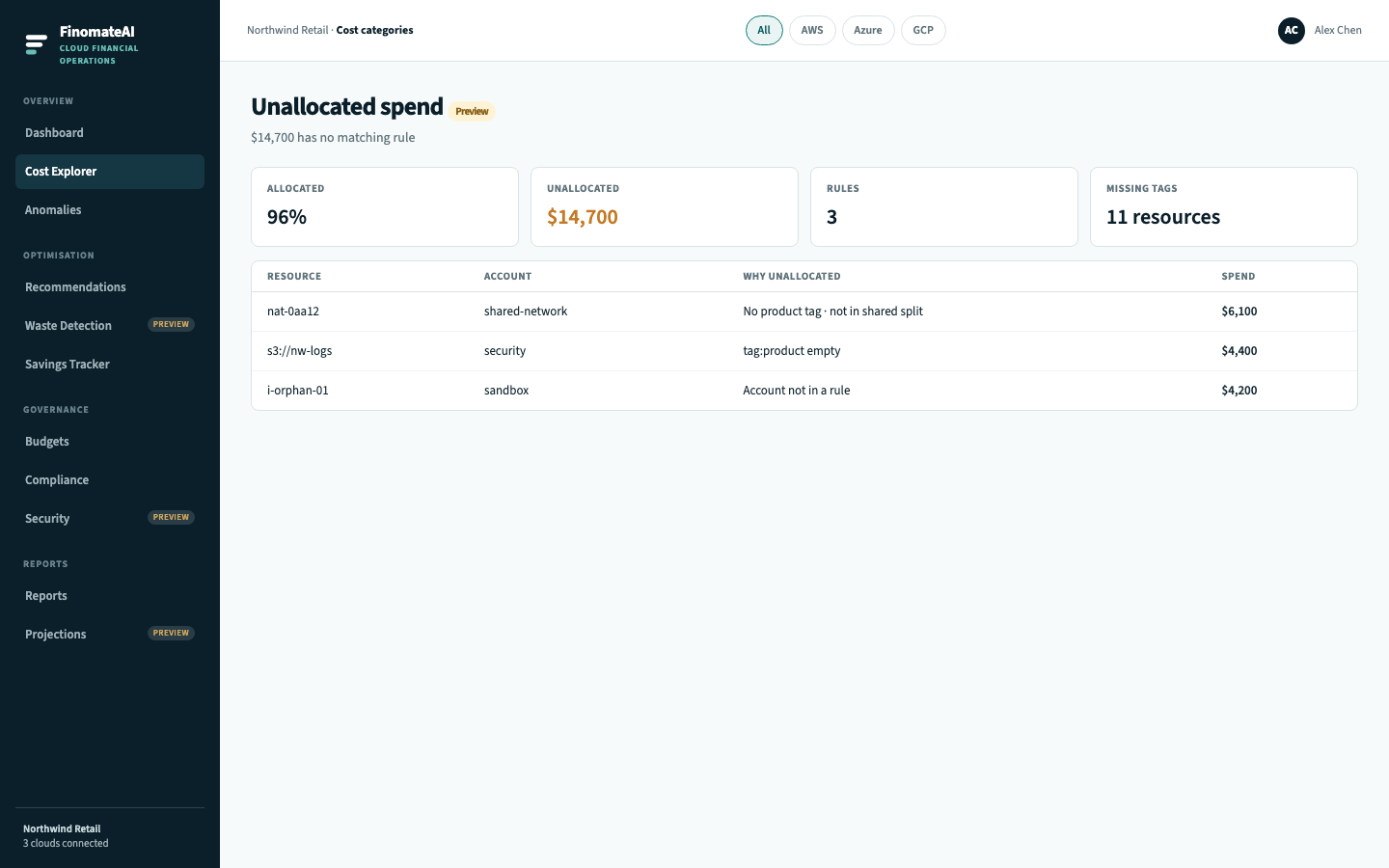
Unallocated spend
Unallocated is a finding, not a rounding error. It usually means missing tags — see Compliance.
Chargeback
Once unallocated is within the remainder finance will accept, use the same categories in reports and budgets. That is the CloudHealth cost-reallocation workflow.