Connect AWS
Connect AWS by pointing FinomateAI at a Cost and Usage Report in S3 and a cross-account role that can read that report only. FinomateAI does not create, start, stop or purchase AWS resources through this role.
Before you begin
- Access to the AWS payer or management account
- Permission to create or approve an IAM role
- A CUR (or FOCUS) report already delivering to S3, or time to wait for the first delivery
- The external ID and FinomateAI account ID from your onboarding screen
What FinomateAI asks for
| Field | Purpose |
|---|---|
| External ID | finomate-<tenant_id>-ext — required in sts:ExternalId |
| Payer account ID | 12-digit management account |
| Role ARN | For example arn:aws:iam::111111111111:role/FinomateReadOnlyRole |
| CUR / report S3 bucket | Bucket that receives the report |
| S3 prefix | Optional report path |
| Report type | CUR or FOCUS |
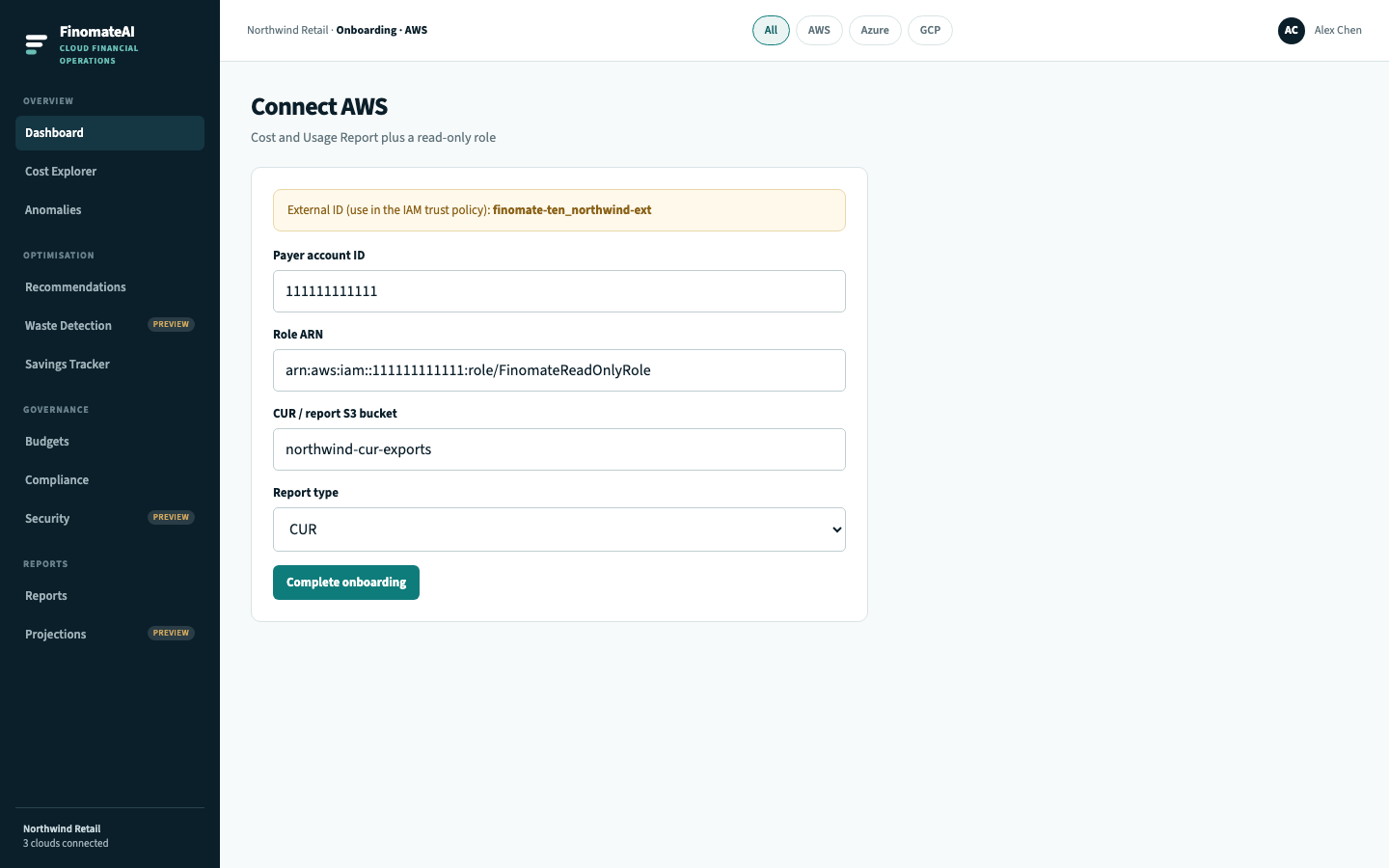
Step 1: Confirm the Cost and Usage Report
In the AWS Billing console:
- Open Cost and Usage Reports.
- Confirm the report includes every linked account you want in FinomateAI.
- Prefer hourly CUR with resource IDs if you want resource-level recommendations later.
- Confirm S3 delivery is current — objects should appear after each report period.
- Record the bucket name and prefix.
If this is a new report, wait until objects exist before you complete onboarding. An empty prefix looks like a permissions failure.
Recommended report settings:
| Setting | Use |
|---|---|
| Report type | Standard CUR, or FOCUS if your tenant asked for it |
| Time unit | Hourly |
| Include resource IDs | On |
| Compression | GZIP or Parquet |
| Delivery | A dedicated bucket, not a shared application bucket |
Step 2: Create a read-only role
Create FinomateReadOnlyRole in the payer account.
Trust policy
Replace 222222222222 with the FinomateAI account ID shown in onboarding, and use your external ID:
{
  "Version": "2012-10-17",
  "Statement": [
    {
      "Effect": "Allow",
      "Principal": { "AWS": "arn:aws:iam::222222222222:root" },
      "Action": "sts:AssumeRole",
      "Condition": {
        "StringEquals": {
          "sts:ExternalId": "finomate-ten_northwind-ext"
        }
      }
    }
  ]
}
Permissions policy
Limit List/Get to the report bucket. Do not attach AdministratorAccess, Billing, or any ec2:* / rds:* write action.
{
  "Version": "2012-10-17",
  "Statement": [
    {
      "Sid": "ListReportBucket",
      "Effect": "Allow",
      "Action": ["s3:ListBucket"],
      "Resource": "arn:aws:s3:::northwind-cur-exports",
      "Condition": {
        "StringLike": { "s3:prefix": ["*", "cur/*"] }
      }
    },
    {
      "Sid": "ReadReportObjects",
      "Effect": "Allow",
      "Action": ["s3:GetObject"],
      "Resource": "arn:aws:s3:::northwind-cur-exports/*"
    }
  ]
}
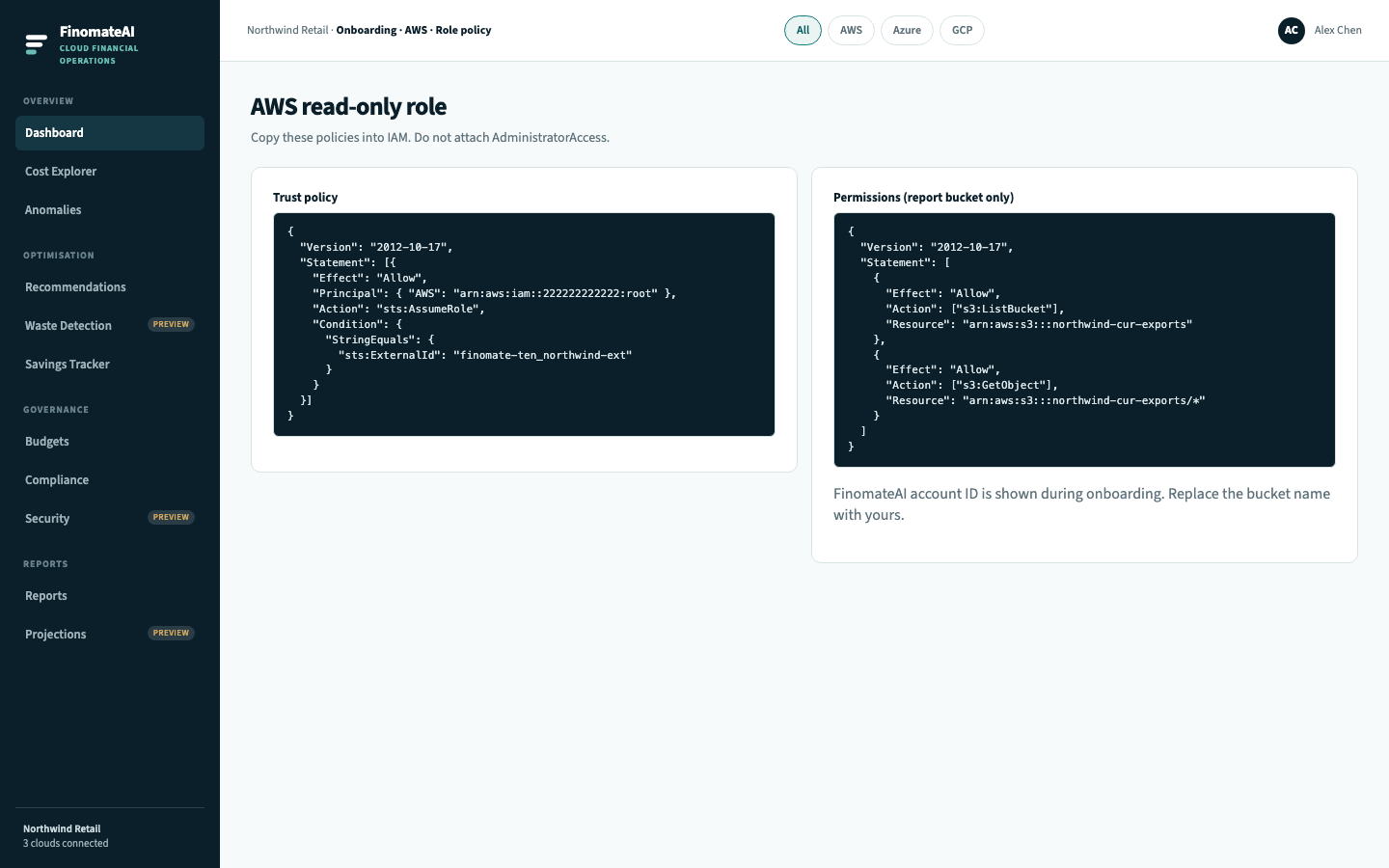
Your security review should confirm: access is read-only, the trust policy requires the external ID, and the role cannot change infrastructure.
Step 3: Complete onboarding
- Open Complete onboarding and select AWS.
- Copy the external ID into the trust policy if you have not already.
- Enter payer account ID, role ARN, bucket, optional prefix and report type.
- Select Complete onboarding.
Step 4: Validate
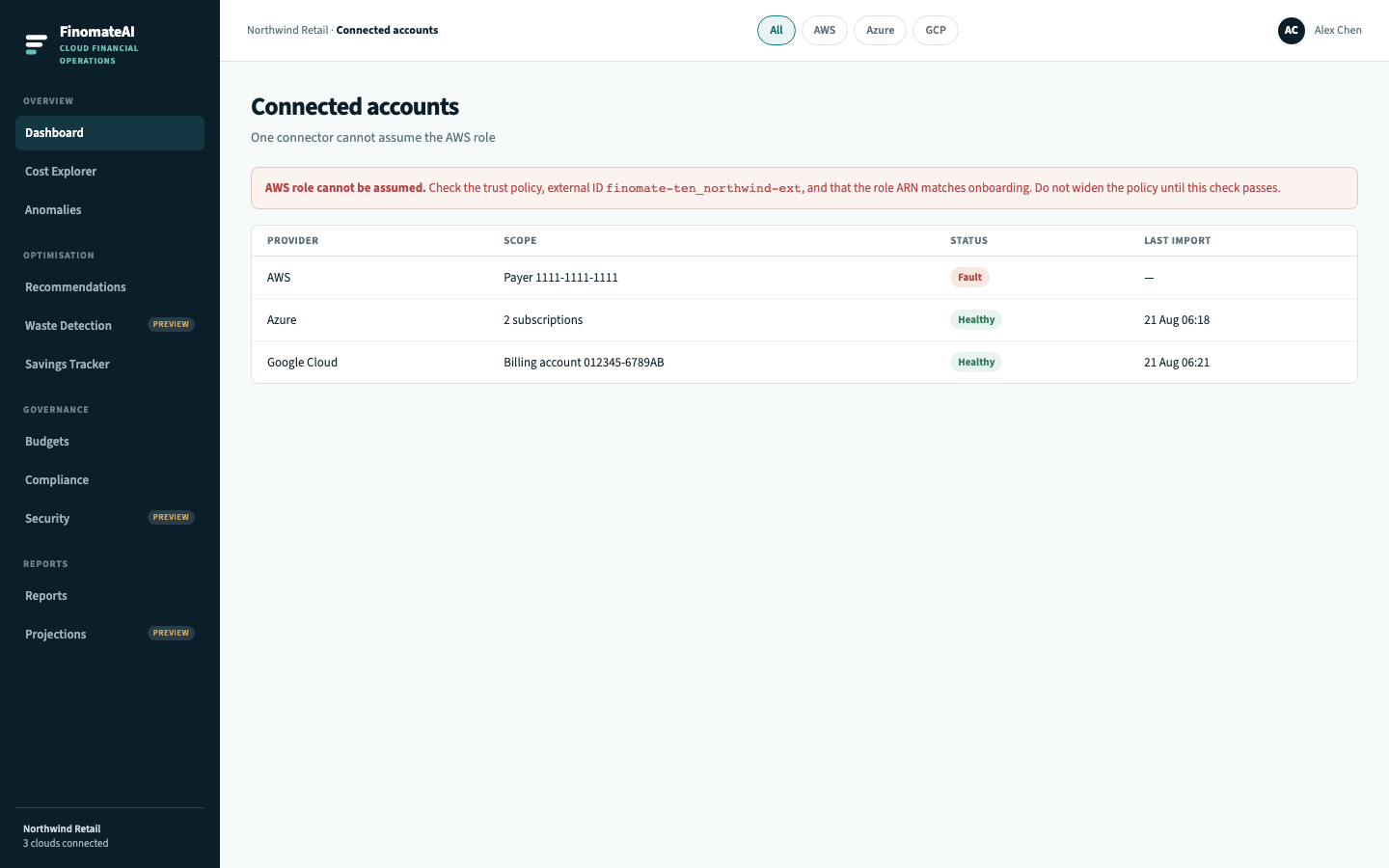
- Open Connected accounts. Status should be Healthy.
- Wait for the initial import (up to 24 hours after the first objects exist).
- In Cost Explorer, select AWS.
- Compare a completed month with AWS Cost Explorer for the same accounts and the same cost type.
Validation checklist
| Check | Evidence | Expected outcome |
|---|---|---|
| Report delivery | Recent objects in the prefix | Current export is landing |
| Assume role | Healthy connector | External ID and ARN match |
| Account coverage | Linked accounts in Explorer | Expected accounts are present |
| Financial comparison | Completed month | Material totals are explainable |
If assume-role fails
| Symptom | Check first |
|---|---|
| Role cannot be assumed | Trust Principal, sts:ExternalId exact match, role ARN spelling |
| Access denied on S3 | Bucket ARN, prefix, encryption key (if the bucket uses a CMK, the role needs kms:Decrypt on that key only) |
| Report location is empty | CUR schedule and first delivery — not IAM |
| Linked accounts missing | CUR is on the payer and includes linked accounts |
| Totals differ | Period, credits, refunds, taxes, Marketplace, cost type |
Expected result
FinomateAI can read the approved AWS export, expected linked accounts appear, and a completed period reconciles.