Azure reservations
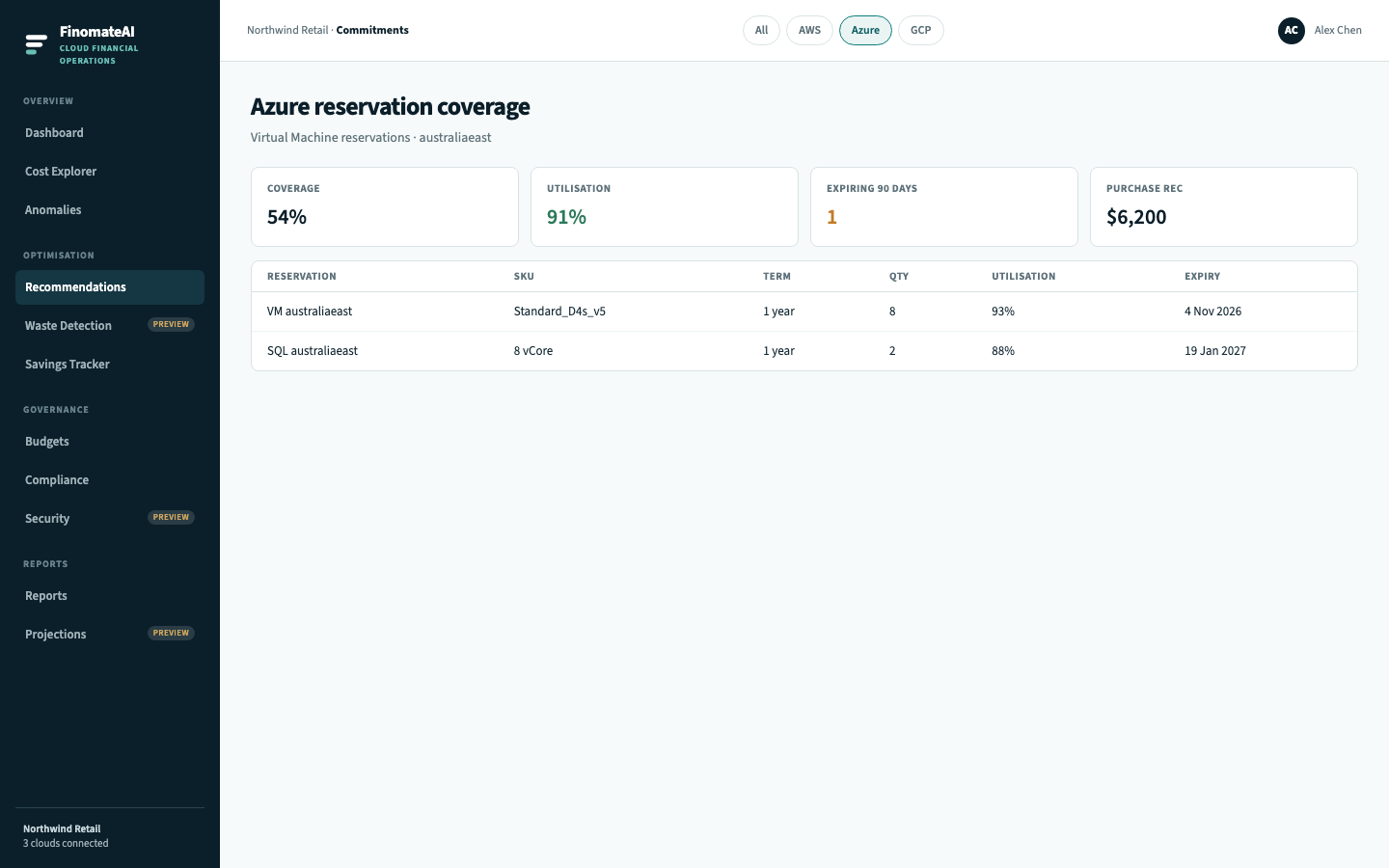
Azure reservation coverage shows how much eligible VM and SQL usage sits on a reservation, how much of that reservation you are using, and what to buy next.
FinomateAI quotes the purchase. Finance completes it in Azure Portal → Reservations. Savings Tracker confirms the bill moved.
Before you begin
- Azure connector is healthy so reservation records and on-demand usage share a cost model.
- Prefer a completed month of stable eligible spend.
Open coverage
- Open Commitments.
- Select Azure.
- Read coverage (share of eligible compute on a reservation) and utilisation (share of the reservation that is used).
- Open terms expiring inside 90 days.
- Open a purchase recommendation and compare it with 30 days of steady-state VM or SQL spend.
- Scope the quote to a cost category if you only want checkout-platform, not the whole tenant.
- Buy in Azure Portal. Shared vs single-subscription scope must match how you run the estate.
How to read Azure reservation numbers
| Metric | Healthy pattern | Risk |
|---|---|---|
| Utilisation | High | You bought more hours than you run |
| Coverage | Matches how stable the VM pool is | Low coverage on a flat D-series fleet is a purchase conversation |
| Expiry | Known, with a FinOps owner | Silent expiry returns you to pay-as-you-go |
Actual vs amortised
Use Cost Explorer Actual to see cash. Use Amortised to see reservation benefit spread across the month. Azure Cost Analysis uses the same two modes.
Expected result
Every expiring Azure reservation has an owner, and every purchase quote traces to 30 days of eligible VM or SQL spend.