Azure recommendations
Azure recommendations are reviewable actions on Virtual Machines, managed disks, reservations and schedules. Accept records intent. Someone still changes the SKU, disk or reservation in Azure.
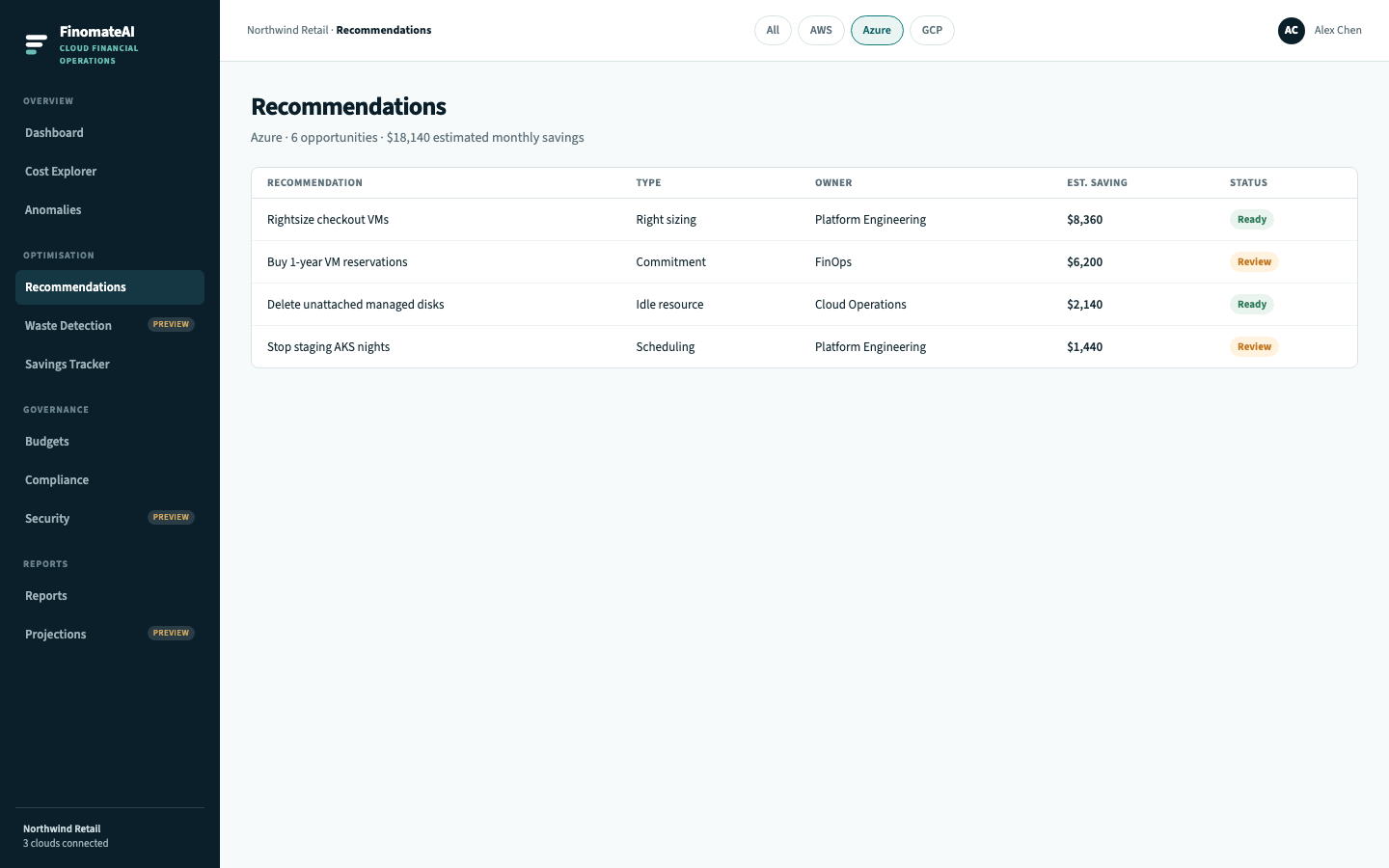
Open the Azure queue
- Open Recommendations.
- Select Azure.
- Prefer items marked Ready.
- Open Details.
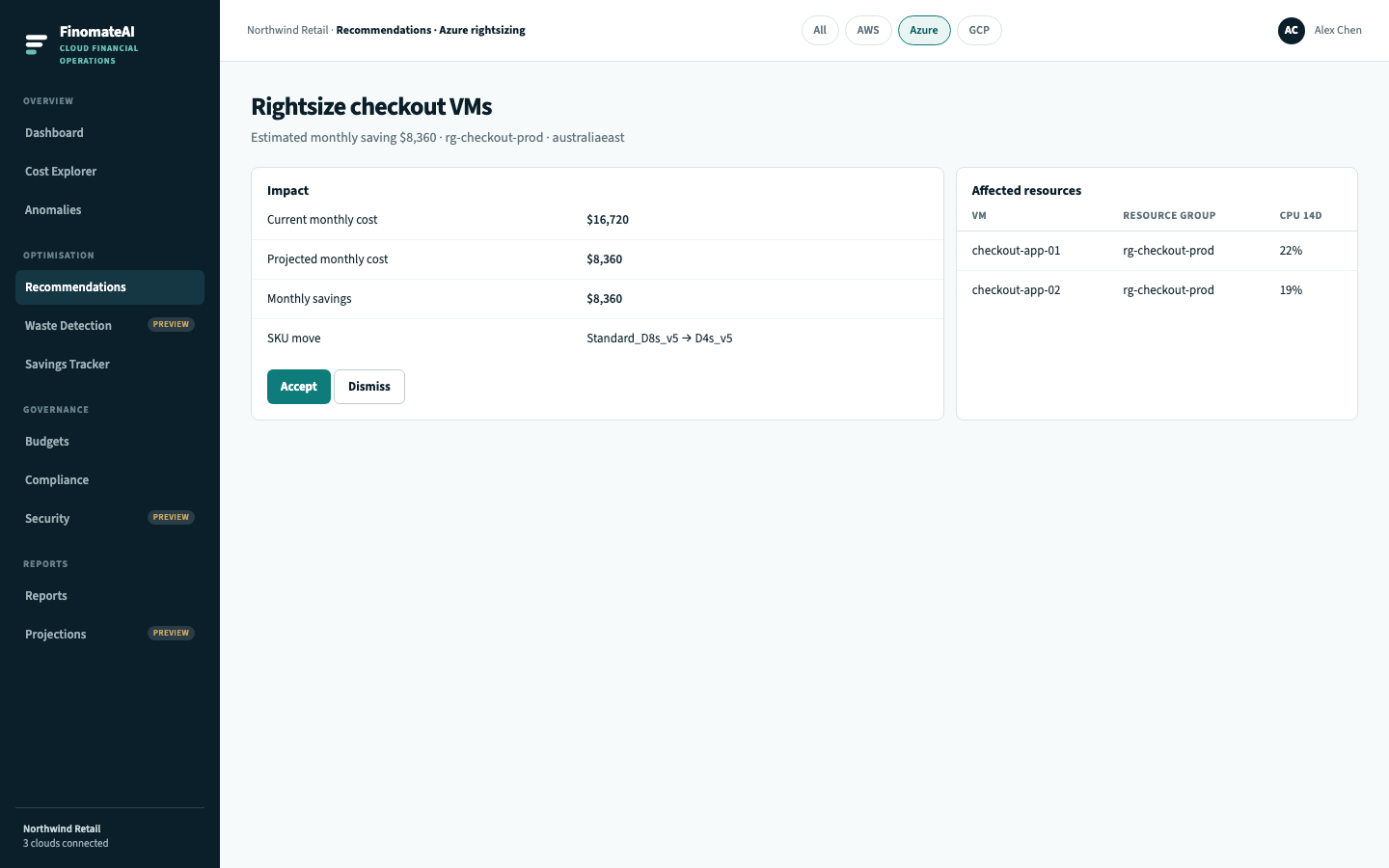
Rightsizing Virtual Machines
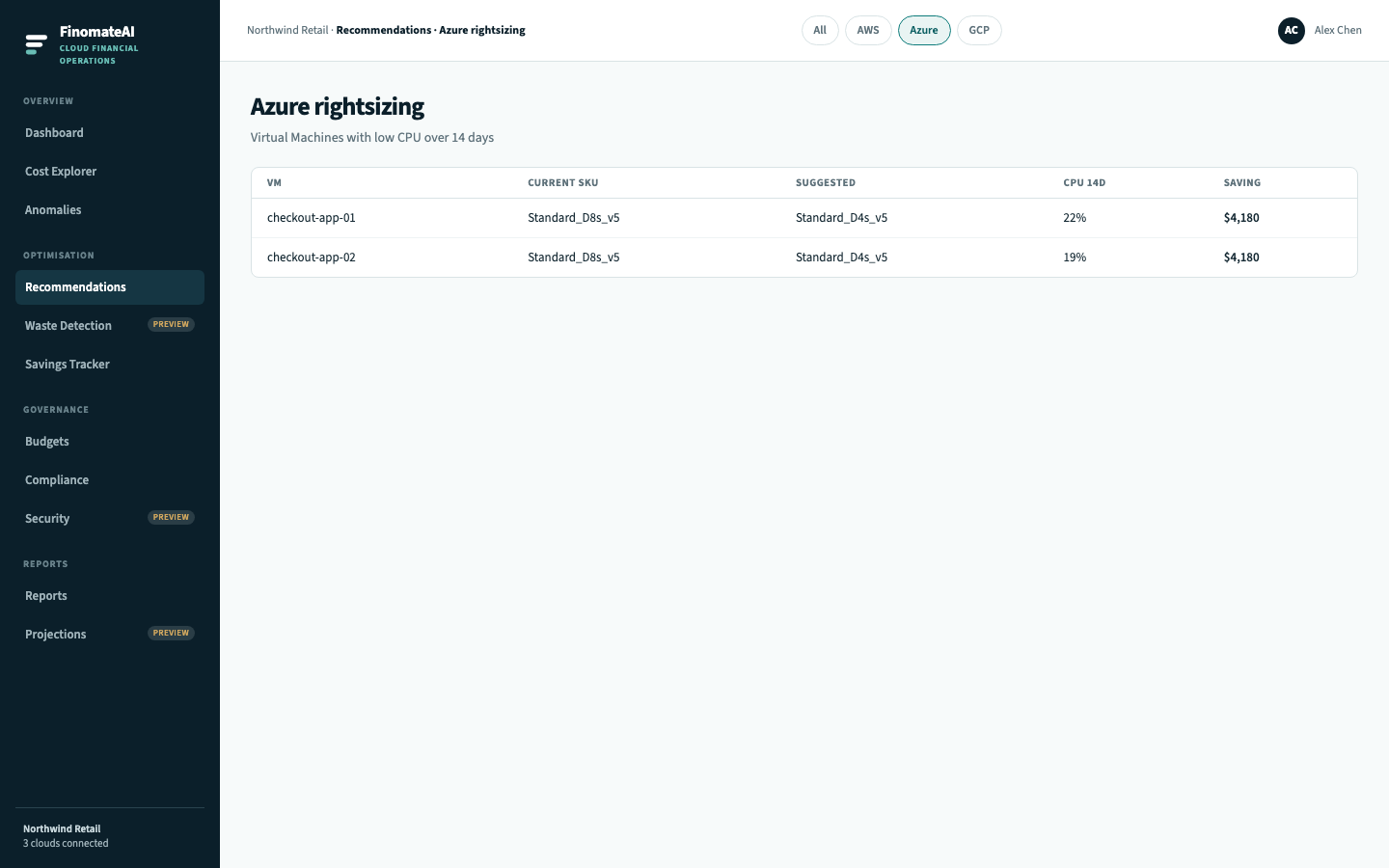
Before you accept a downsize:
- 14-day CPU is not hiding a Monday batch.
- Availability set / zone and Premium SSD still match the smaller SKU.
- Existing VM reservations still apply — see Azure reservations.
- The owner will change size in the portal, Bicep or Terraform. FinomateAI does not resize the VM.
Other Azure recommendation types
| Type | Typical resource | Implement in |
|---|---|---|
| Idle resource | Unattached managed disk | Portal → Disks → Delete |
| Scheduling | Staging AKS node pool | Resource scheduling plus cluster autoscaler |
| Commitment | VM or SQL reservation | Azure Reservations + Azure reservations |
After you accept
Savings Tracker shows the item as Pending until a later Azure bill confirms the lower meter. If the VM was never resized, it stays pending.
Expected result
One Azure recommendation is accepted or explicitly deferred, with an owner and an Azure change path.