Using FinomateAI with Azure
FinomateAI treats Azure as a first-class billing source. You connect a Cost Management export and a least-privilege service principal, then every product page can be filtered to Azure.
This section is the Azure operator’s book: how to use Dashboard, Cost Explorer, anomalies, recommendations, reservations, budgets and reports against Microsoft subscriptions.
What you need from Azure
| Azure artefact | Why FinomateAI needs it |
|---|---|
| Cost Management export to a storage account | Daily actual-cost or FOCUS files |
| Microsoft Entra app + client secret | Identity FinomateAI assumes |
| Storage Blob Data Reader on the export container | Read the files |
| Cost Management Reader on in-scope subscriptions | Optional API checks and reservation metadata |
| Subscription IDs in the onboarding form | Billing scope |
The principal is not a subscription Owner. FinomateAI does not create VMs, change SKUs or buy reservations in Azure. You do that in the Azure portal or Bicep/Terraform after you accept a recommendation.
Azure path through the product
| Job | Guide |
|---|---|
| Connect the first subscription | Connect Azure |
| Orient a monthly review | Azure Dashboard |
| Explain a total against Cost Analysis | Azure Cost Explorer |
| Investigate a spike | Azure anomalies |
| Rightsize VMs and act on idle disks | Azure recommendations |
| Reservation coverage and quotes | Azure reservations |
| Subscription and team budgets | Azure budgets |
Provider chip
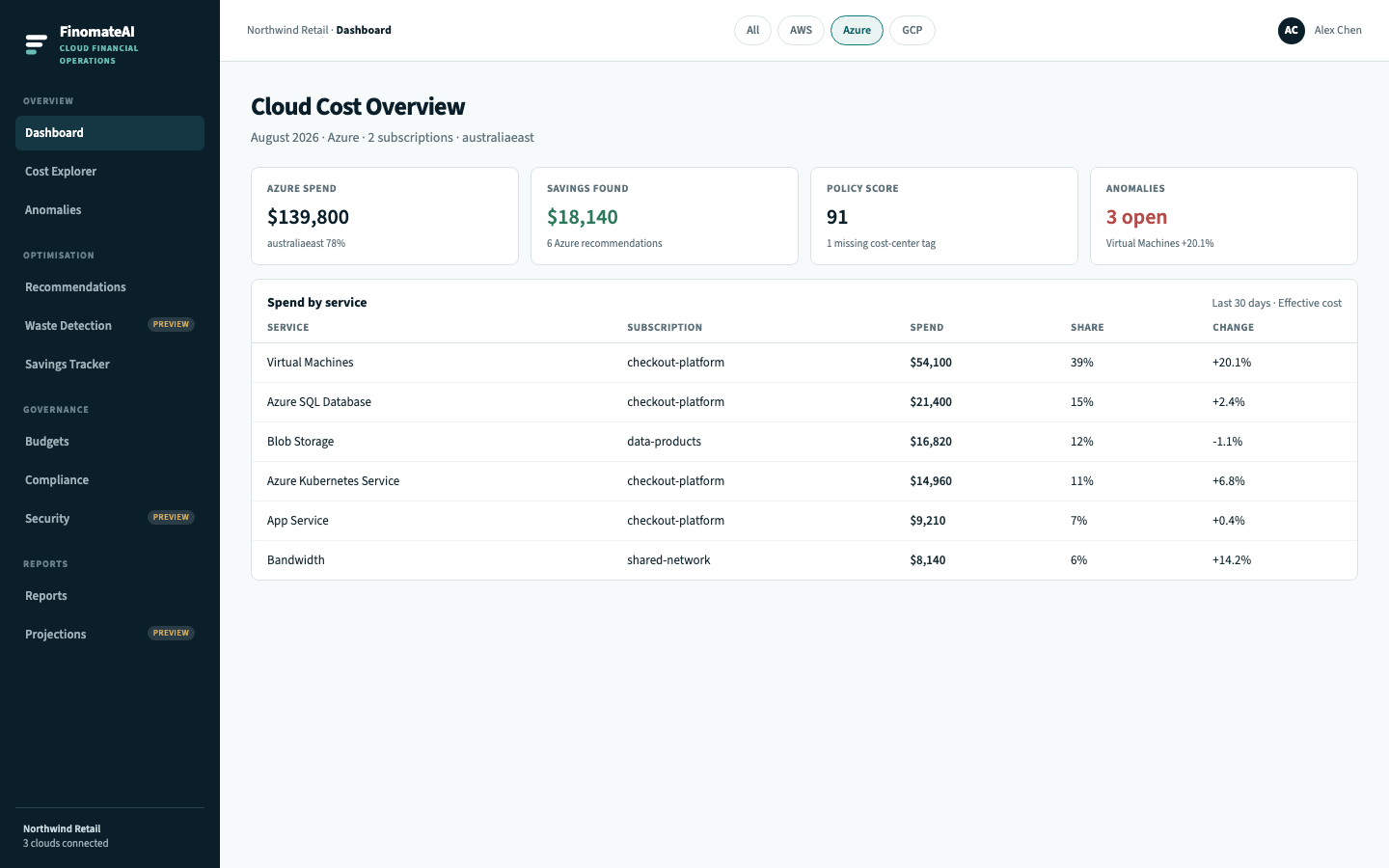
On every page, select Azure. Totals, charts and tables must change. If they do not, you are still looking at All-clouds or another provider.
Sample estate used in these guides
Screenshots use Northwind Retail:
| Subscription | Purpose |
|---|---|
checkout-platform | Production VMs, AKS, App Service, Azure SQL |
data-products | Blob Storage, analytics |
Region is australiaeast unless a row says otherwise. Your names, SKUs and dollars will differ.
Next step
Connect Azure, then spend 30 minutes on the Azure chip.